
Description
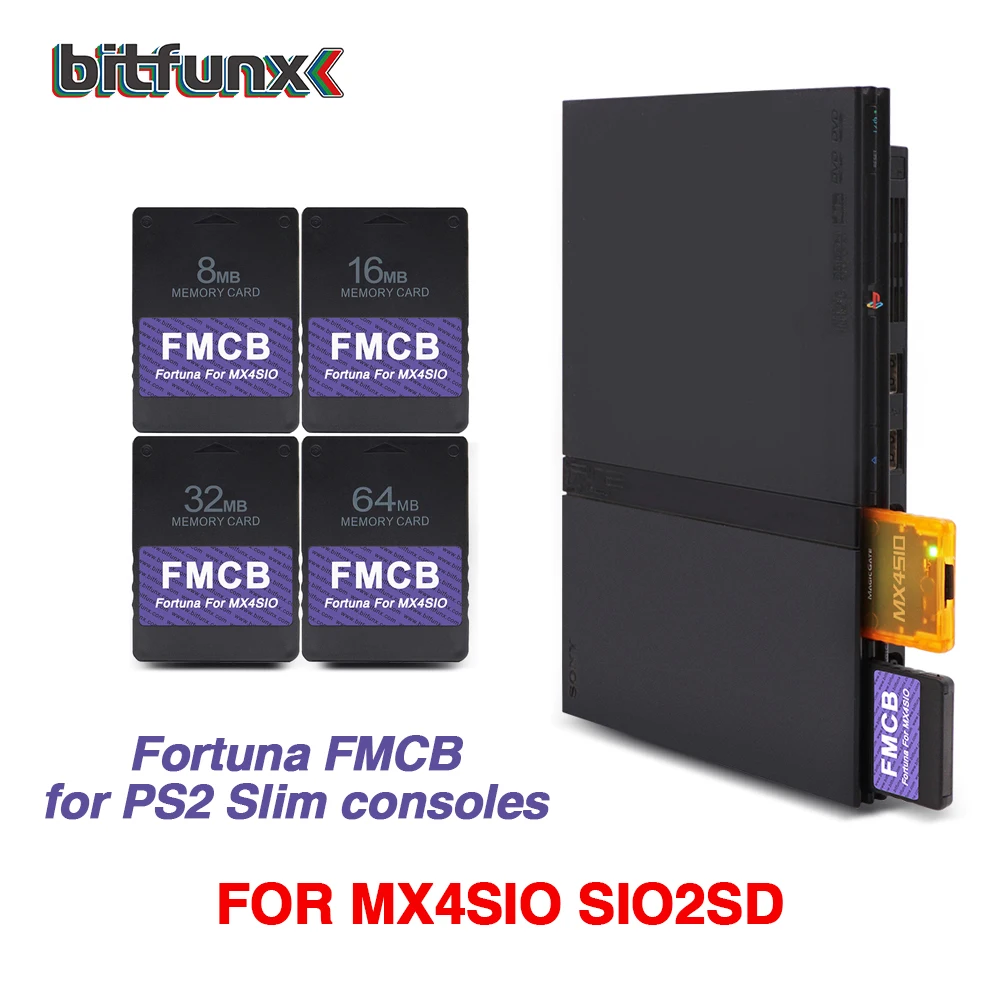
Bitfunx Fortuna Free McBoot OPL Memory Card for PS2 MX4SIO SIO2SD SD Adapter – Unlock Your PS2 Slim with Ease
Product Overview
Transform your PlayStation 2 Slim into a modern gaming powerhouse with the Bitfunx Fortuna Free McBoot OPL Memory Card. This high‑performance SD adapter plugs directly into the MX4SIO slot, enabling seamless installation of Free McBoot, Open PS2 Loader (OPL), and a host of homebrew applications. Enjoy unlimited game backups, custom firmware, and expanded storage without sacrificing your console’s original hardware.
Key Features
- ✔ Free McBoot & OPL Ready: Built‑in support for the most popular homebrew platforms.
- ✔ MX4SIO & SIO2SD Compatibility: Works flawlessly with PS2 Slim models and the MX4SIO SIO2SD adapter.
- ✔ High-Speed SD Card Support: Supports up to 32 GB SDHC and 64 GB SDXC cards for maximum storage.
- ✔ Plug‑and‑Play Installation: No soldering required – simply insert the adapter and start gaming.
- ✔ Robust Build Quality: Durable metal housing protects against wear and tear during long gaming sessions.
- ✔ Low Power Consumption: Designed to run on the PS2’s native power supply, keeping battery life intact.
- ✔ Comprehensive Documentation: Step‑by‑step guide included for quick setup and troubleshooting.
Why Choose Bitfunx Fortuna?
With over a decade of experience in PS2 modding solutions, Bitfunx delivers reliable, user‑friendly hardware that extends the life of your console. The Fortuna Free McBoot OPL Memory Card is engineered for stability, ensuring smooth operation of all your favorite homebrew titles.
Compatibility
• PS2 Slim (all revisions)
• MX4SIO SIO2SD adapter
• 32 GB SDHC or 64 GB SDXC cards
• Free McBoot, Open PS2 Loader, and other homebrew firmware
Installation Instructions
- Insert the Bitfunx Fortuna adapter into the MX4SIO SIO2SD slot.
- Connect your SD card (formatted to FAT32) to the adapter.
- Power on the PS2 and follow the on‑screen prompts to load Free McBoot.
- Launch OPL from the Free McBoot menu and begin playing your game backups.
Customer Support
Need help? Our dedicated support team is available 24/7. Visit bitfunx.com/support for FAQs, firmware updates, and community forums.
Order Now
Upgrade your gaming experience today – add the Bitfunx Fortuna Free McBoot OPL Memory Card to your cart and unlock the full potential of your PS2 Slim.


Reviews
There are no reviews yet.