
 Written by
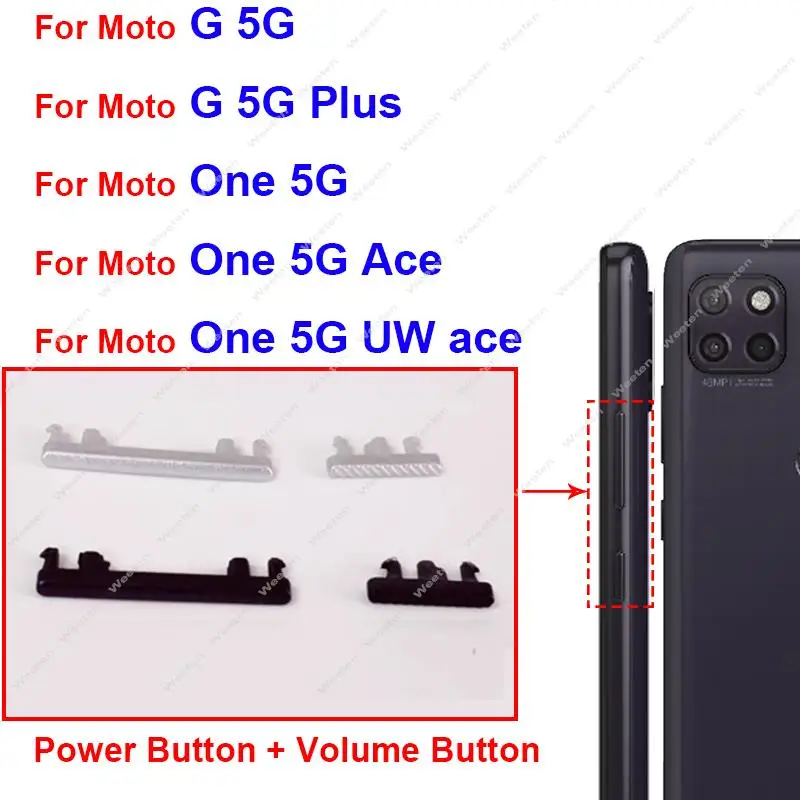
Upgrade your Motorola smartphone with the premium On OFF Power Volume Button designed specifically for the MOTO G 5G Plus, One 5G, UW, Ace G 5G. This high‑quality side key replacement restores full functionality to your device’s power and volume controls, ensuring a seamless user experience and extending the life of your phone.
Product Overview
The On OFF Power Volume Button is a direct‑fit replacement part that matches the original specifications of Motorola devices. Crafted from durable, lightweight alloy, it offers a smooth tactile feel and reliable performance for everyday use.
Key Features
- Exact OEM dimensions for a perfect fit on Motorola MOTO G 5G Plus, One 5G, UW, and Ace G 5G models.
- Dual‑function design: combines power on/off and volume up/down controls into a single side key.
- High‑grade, corrosion‑resistant material for long‑lasting durability.
- Responsive click mechanism for precise control of volume and power functions.
- Easy installation – no soldering or special tools required.
- Optimized for low power consumption, helping to preserve battery life.
Compatibility
- Motorola MOTO G 5G Plus
- Motorola One 5G
- Motorola UW (Unihertz) models
- Motorola Ace G 5G
- Any device that uses the same side‑key layout and connector.
Why Choose This Replacement?
- Exact Fit: Engineered to match the original part number, eliminating alignment issues.
- Premium Build: Reinforced internal contacts prevent wear and ensure consistent performance.
- Cost‑Effective: Save on expensive repair services by installing the button yourself.
- Enhanced User Experience: Restores the smooth, audible click you expect from a brand‑new device.
- Trusted Quality: Tested for compatibility and durability before shipping.
Installation Tips
Follow these simple steps to replace the button:
- Power off your phone and remove the back cover.
- Locate the side‑key assembly and gently detach the old button using a plastic pry tool.
- Align the new On OFF Power Volume Button with the connector and press firmly until it clicks into place.
- Reassemble the back cover and power on the device to test the functionality.
Bring your Motorola smartphone back to its original performance with this reliable, easy‑to‑install power and volume button. Order now and enjoy a seamless, responsive experience every time you use your device.
Price: Original price was: $ 2.21.$ 1.99Current price is: $ 1.99.