
 Written by
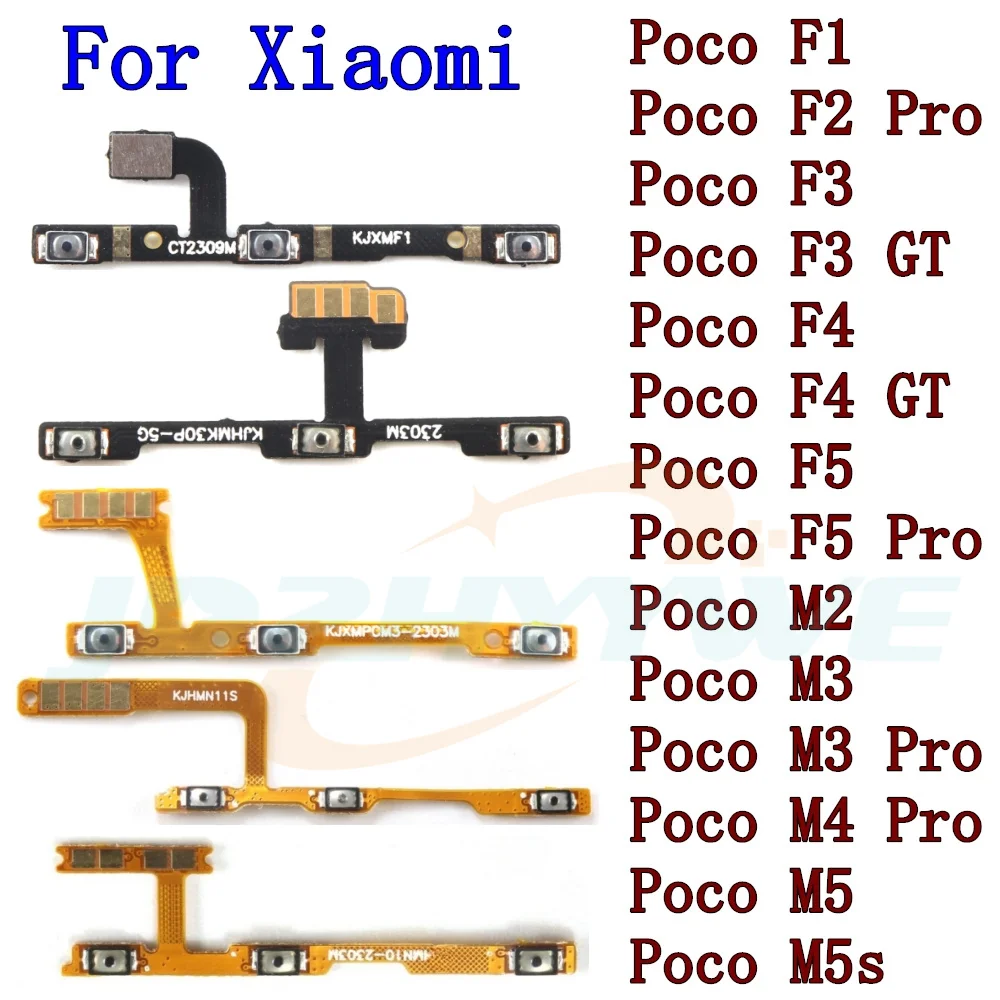
For Xiaomi Poco F5 Pro F4 F3 GT F2 Pro F1 M2 M3 M4 Pro M5s Side Button Key Switch Volume Power On Off Flex Cable
Upgrade or replace the delicate side‑button flex cable on your Xiaomi Poco device with this high‑quality, OEM‑compatible replacement. Designed specifically for the Poco F5 Pro, F4, F3, GT, F2 Pro, F1, M2, M3, M4 Pro, and M5s models, this cable restores full functionality to your volume, power, and side‑button controls while ensuring a seamless fit and long‑lasting performance.
Product Overview
This precision‑engineered flex cable is crafted from premium, flexible materials that mimic the original OEM specifications. It features a secure, low‑profile connector that plugs directly into your device’s motherboard without the need for soldering, making it ideal for both DIY repairs and professional service centers.
Key Features
- Exact Compatibility: Tailored for Xiaomi Poco F5 Pro, F4, F3, GT, F2 Pro, F1, M2, M3, M4 Pro, and M5s models.
- Durable Construction: Uses high‑grade, flexible polymer and reinforced metal contacts for long‑term reliability.
- Easy Plug‑and‑Play: No soldering required—simply insert the connector into the motherboard slot.
- High‑Quality Signal Transmission: Maintains crisp button response and power‑on/off functionality.
- Compact & Low‑Profile: Fits snugly into tight spaces, preserving the device’s slim profile.
- Warranty Included: 90‑day satisfaction guarantee with free returns.
Why Choose This Cable?
Replacing a broken side‑button flex cable can be frustrating, but this product offers a hassle‑free solution. Its exact OEM fit eliminates the risk of misalignment, while the robust construction resists bending and wear—protecting your device’s core functions for years to come.
Compatibility
Compatible with the following Xiaomi Poco models:
- Poco F5 Pro
- Poco F4
- Poco F3
- Poco GT
- Poco F2 Pro
- Poco F1
- Poco M2
- Poco M3
- Poco M4 Pro
- Poco M5s
Installation Guide
- Power off the device and remove the back cover.
- Locate the damaged flex cable and disconnect it gently.
- Insert the new cable into the motherboard slot, ensuring a snug fit.
- Reassemble the device and power it on to test button functionality.
Customer Support
Our dedicated support team is ready to assist with any installation questions or compatibility concerns. Contact us via email or chat, and we’ll help you get your Poco device back to full performance.
Price: $ 3.22