
 Written by
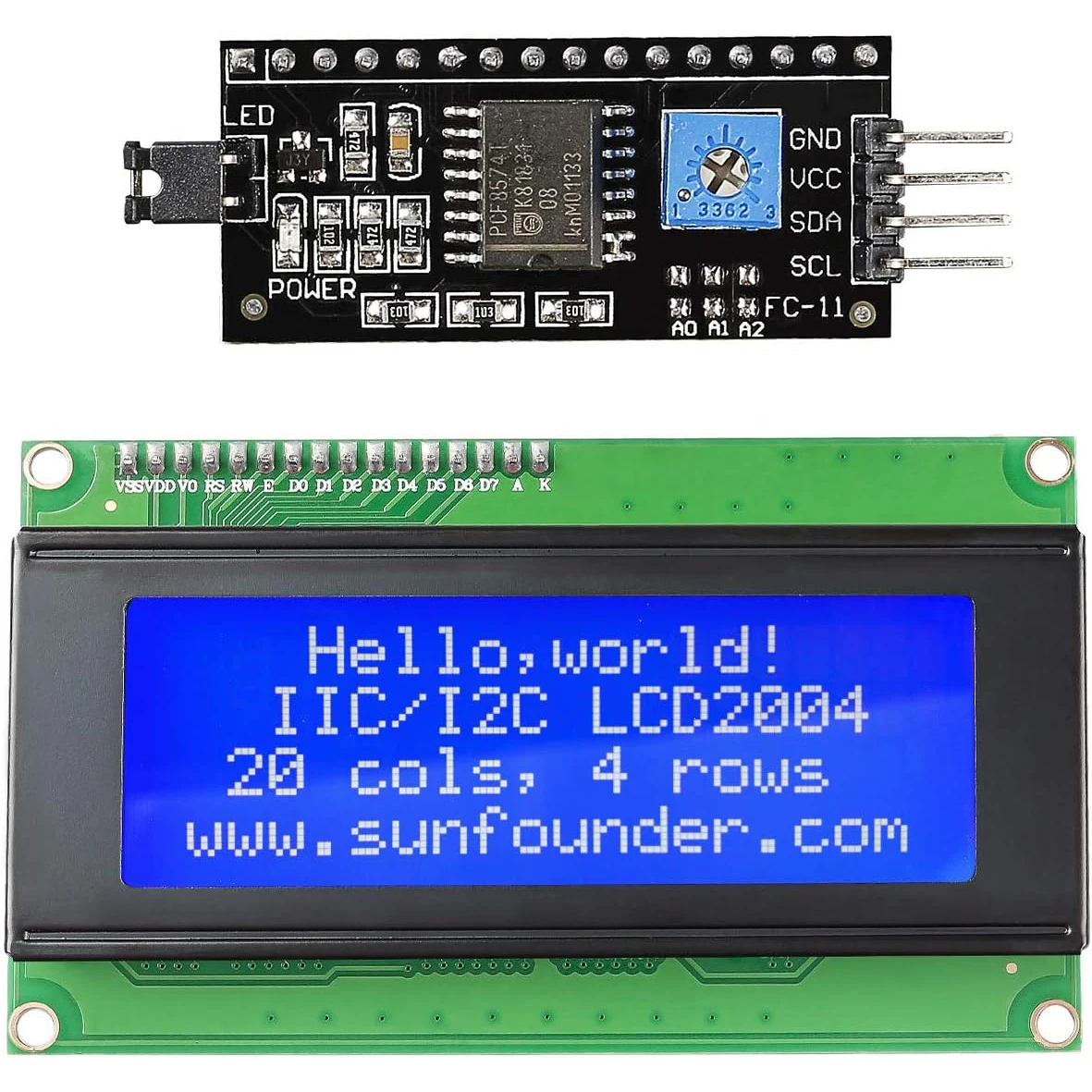
The 20×4 2004 LCD Display Module with IIC/I2C Serial Interface Adapter is the perfect solution for hobbyists, engineers, and makers who need a compact, high‑visibility alphanumeric display for Arduino projects. Designed as a plug‑and‑play shield for the Arduino R3, this 20 × 4 character LCD provides crystal‑clear text, easy I2C communication, and a low‑power footprint, making it ideal for everything from data logging to user‑interface panels.
Key Features
- 20 × 4 character (2004) alphanumeric LCD with built‑in backlight
- Standard IIC/I2C (TWI) serial interface – only two wires (SDA, SCL)
- Fully compatible Arduino R3 shield footprint – no soldering required
- Adjustable contrast via on‑board potentiometer
- Low power consumption – perfect for battery‑operated projects
- Supports both 5 V and 3.3 V logic levels
- Clear, glare‑free display readable in a wide range of lighting conditions
Technical Specifications
- Display type: HD44780 compatible 20 × 4 character LCD
- Interface: I2C (address 0x27 by default, configurable)
- Operating voltage: 5 V (compatible with 3.3 V via level shifting)
- Backlight: White LED, current‑adjustable via potentiometer
- Dimensions: 80 mm × 80 mm × 15 mm (including I2C board)
- Operating temperature: –20 °C to +70 °C
- Typical I2C speed: 100 kHz (standard) – up to 400 kHz (fast mode)
Why Choose This 20×4 LCD Module?
- Simple wiring: Connect only SDA, SCL, VCC, and GND – the Arduino library handles all communication.
- Space‑saving design: The shield form factor fits directly onto the Arduino R3 header, freeing up breadboard space.
- Reliable performance: The HD44780 driver chip ensures stable character rendering and wide library support.
- Versatile applications: Ideal for menus, sensor readouts, status dashboards, and educational kits.
- Cost‑effective: High‑quality components at a competitive price, delivering professional results without breaking the bank.
Compatibility
- Arduino Uno, Mega, Nano, Leonardo, and any board with an Arduino R3 footprint
- Compatible with ESP8266, ESP32, Raspberry Pi (via I2C adapter)
- Works with popular libraries:
LiquidCrystal_I2C,Wire, andLCDexamples in the Arduino IDE
Installation Guide
1. Align the shield pins with the Arduino R3 header and press gently until fully seated.
2. Connect the I2C bus: SDA → A4 (Uno/Nano) or 20 (Mega), SCL → A5 (Uno/Nano) or 21 (Mega).
3. Power the board via the Arduino’s 5 V pin (or 3.3 V if needed).
4. Upload a sketch using the LiquidCrystal_I2C library, set the correct I2C address, and start displaying text.
SEO Keywords
20×4 LCD display, 2004 LCD module, IIC I2C serial interface, Arduino R3 shield, LCD module shield, TWI serial LCD, Arduino LCD display, low‑power LCD, backlight LCD, Arduino compatible display.
Price: Original price was: $ 10.74.$ 5.26Current price is: $ 5.26.